FeaturePlus Feature List
Choice of handsets
Here's a list of all the features available on each of the available FeaturePlus phones. Please click here for a general description of the FeaturePlus system. The individual features are explained in more detail below!
| Feature | Linksys SPA942 | Cisco SPA502G | Cisco SPA504G | Cisco SPA525G | |
| FeaturePlus Premium | No | Yes | Yes | Yes | |
| Lines | 2 | 1 | 2 | 2 | |
| Power over Ethernet | Yes | Yes | Yes | Yes | |
| Two 10/100 ports | Yes | Yes | Yes | Yes | |
| Colour screen | No | No | No | Yes | |
| Wireless connectivity | No | No | No | Yes | |
| Bluetooth | No | No | No | Yes | |
| G.711 and G.729 support | Yes | Yes | Yes | Yes | |
| Full Duplex speakerphone | Yes | Yes | Yes | Yes | |
| Call Hold | Yes | Yes | Yes | Yes | |
| Mute | Yes | Yes | Yes | Yes | |
| Call Waiting, swap | Yes | No | Yes | Yes | |
| Call Transfer - attended or blind | Yes | Yes | Yes | Yes | |
| Three-way conference | Yes | Yes | Yes | Yes | |
| Group pick-up button | No | Yes | Yes | Yes | |
| Reject-to-voicemail button | No | Yes | Yes | Yes | |
| Do Not Disturb button | No | Soon | Soon | Yes | |
| Call Foward button | No | Soon | Soon | Yes | |
| Call Park button | No | Soon | Soon | Yes | |
| Voicemail Message light | Yes | Yes | Yes | Yes | |
| Personal and Company directories | Yes | Yes | Yes | Yes | |
| Call logs; Made, Received, Missed | Yes | Yes | Yes | Yes | |
| Redail from logs | Yes | Yes | Yes | Yes | |
| Caller name/number display | Yes | Yes | Yes | Yes | |
| On-hook dialling | Yes | Yes | Yes | Yes | |
| Predictive dialling | Yes | Yes | Yes | Yes | |
| Distinctive ringing | Yes | Yes | Yes | Yes |
Handsets.
The Linksys SPA942 is the only handset avaialble on the "standard" FeaturePlus subscription.
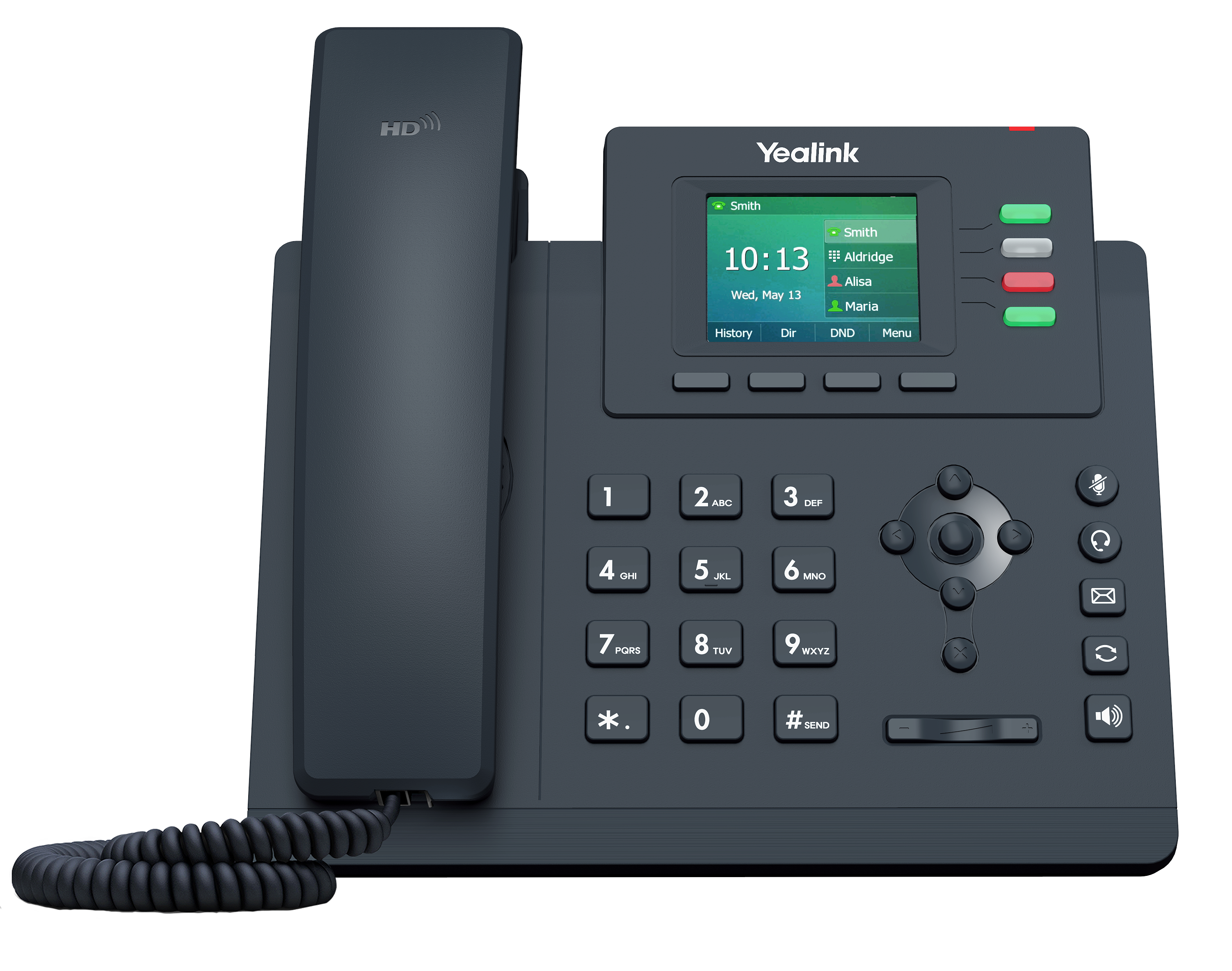
This phone features a greyscale LCD display, four "line" buttons and function keys. It has a built-in speaker phone, and supports a headset via a standard 2.5mm jack. This phone supports two lines. That means you can have two different FeaturePlus numbers on the same phone!
There are three handsets available on the Premium level of FeaurePlus subscription.

The Cisco 502G is a one-line phone - can support only a single number. It has a greyscale LCD display with four function buttons, it has a speakerphone built in. Supplied with a stand so it sits up at an angle making it easy to read the display and access the buttons. The unit also supports Power Over Ethernet, and has dual ethernet connections, so it can share a single wall point with a computer.
The 502G is ideal for users who don't expect to use more than one number on the system. Note that Call Waiting is not available with the 502, nor can you place one call on hold whislt making another.
The cisco 504G is similar to the 502G but supports two lines - in addition to the four function keys it has four line-select keys to the right of the screen so you can choose which line to answer or call on. As with the 502G it supports Power Over Ethernet, has dual RJ45 connevctions, and has the same speakerphone system. Recommended for users who want two numbers on their phones or might want this feature in future.
The Cisco 525G is the top of the range. Like the 504G it supports two lines. It features a colour 320x240 pixel LCD screen, which as well as telling you what the phone is doing can be used to view pictures or reivew, say, security camera feeds. The phone also supports WiFi connection (802.11g) in addition to the usual 10/100 ethernet ports. A USB connection allows access to photos, and the phone can also play your MP3 files! A headset can be connected via a standard 2.5mm jack socket.
ATA connection
If you wish to use the FeaturePlus service with an ordinary phone, you can instead of the above handsets order an ATA.
This is a small box which connects to the network and presents a "BT" style socket. To this you can connect any existing BT handset, including a DECT base-station if you want a Cordless device.
Standard vs Premium
There are additional features on the Premium service which are either not available on Standard, (see table above) or are available only as a cost-option (see pricing page). Since the extra cost for even one of these service costs more than the difference in subscription price, we strongly recommend the Premium level account for most users!
Number of Lines.
All the phones except the 502G support two lines. With two-line support, you can place a call on hold and make or receive a second call, and you will receive an alert if a second call comes in whilst you are already speaking. You can also have a second phone number provisioned on the phone, in which case you can tell which number is ringing and you can choose from which number to dial out when making a call.
Power Over Ethernet.
These phones all require power. This can be supplied via a 5v mains adapter, or can be fed to the phone over the network cable from your ethernet switch, provided you have a suitable switch! This saves wires, frees up mains sockets, and saves the purchase price of the individual power adapters.
Twin ethernet ports.
With a second ethernet port on the phone, you can connect the phone to the same wall port as your compouter, or as a printer or other network device. The phone doesn't need a second connection ar your desktop.
Call Waiting.
If a second call comes in whislt you are already talking, then you will hear a beep and the phone screen will show you who is calling. You can choose to ignore it (in which case it will be treated as any un-answered call, e.g. go to Voicemail) or hold or finish the call you are on to take the new call.
Call transfer
You can transfer the call on your phone, incoming or out going, to any other number. An "attended" transfer lets you speak first to the person to whom you are transferring. A "blind" transfer just passes the call to their phone at once. You can transfer calls to other FeaturePlus phones, landlines, or mobiles.
Voicemail message.
When you return to your phone, if someone has left a voicemail, there is a light to tell you. You can also have voicemails sent to you as emails, and an alert sent to your mobile by SMS.
Directories.
The web portal allows you to maintain both personal and company-wide phone books. You can setup a call to any number in the system by clicking on the web page. If the number of an incoming call is recognised in the directory, the system lists the name of the caller as well as the number. You can also link your phone to Outlook.
Call logs
You can bring up a list of made, received, or missed calls either on the phone display or on the web page at any time. You can return any call by just clicking on the number.