VOIP Jargon Buster
Voip Terminology and "Jargon"
One of the biggest barriers to getting your head around new technology is the whole raft of new buzzwords it brings with it - and always everyone else seems to already know the lingo, or at least is faking it, so you can't get started!
So here's a list of some of the terms you'll come across. We don't promise exhaustive descriptions of all possible uses, rather, we aim to provide usable every-day definitions. We welcome suggestions.
If you are contemplating a new phone system, you don't have to learn this lot - just talk to us, we'll try to keep it jargon-low and fully explained at all stages. But if you like to keep up with what your 8 year old nephews are talking about...
ATA
Analogue Telephone AdapterThis is a small device with an RJ11 phone socket and an RJ45 ethernet socket. It essentially converts a regular PSTN phone handset into a VOIP handset. The handset provides earpiece/speaker, microphone, and dialling buttons. The ATA provides the CoDecs, connection to the PBX or SIP Gateway, etc. Normally configured via a Web GUI. Note - sometimes ATAs are built into other devices, e.g. the Zyxel Prestige 2602HW is an ADSL router with two ATA ports built in.
Call
Nothing new here. With VOIP, as with PSTN, a "call" starts when someone picks up a phone and dials a number, and ends when the phone is hung up. The differences are "under the hood". If it can, your VOIP PBX system will route the call via VOIP, if it can't, it will work out the cheapest route via ITSP Gateway or via your regular telephone trunks. An incoming call via PSTN or VOIP will arrive at your VOIP PBX and can then be routed to your desk via DDI, via an AutoAttendant, or via a traditional receptionist answering the call and forwarding it to you.Carrier PreSelect - CPS
In the dark ages, you could only buy your phone lines and calls from BT (the GPO as once was!). Then the government allowed other companies to offer competing services - the first was Mercury (now part of Cable and Wireless). To use their service you would dial a short code before starting to dial the number you wished to reach. Or you could buy a phone with a blue "mercury button" to press at the start of every call - all the blue button did was dial the number for you.
There are now a huge number of companies who provide "call minutes" other than BT, even if you still rent your line from BT you can choose who to buy your calls from. The "pre-dial" code is still the traditional method of asking to buy your call off one of these suppliers instead of BT, but now you can "pre-select" your call supplier (carrier). Once you have pre-selected your calls onto a carrier's service, then you no longer need to dial the pre-dial code, you just dial the desination phone number and the call is routed to that carrier automatically.
Wizards offers CPS services with calls at a competitive low cost, with per-second billing and no call setup charge, no minimum call duration.
Centralised Billing
This is really an administrative feature not a technical one, but it's important! With centralised billing, instead of a whole waste paper bin full of different invoices for broadband, phone line rental, phone calls, bandwidth, domain hosting, etc., you get one mothly invoice showing ALL of the items due that month, and itemising the phone calls. And it's your choice if you have one single centralised bill covering the whole company, or a bill for each separate location, or... well, however you like your bills, we'll do it! Also, you can now have your bills as an emailed PDF each month or as a paper bill by post.
Circuit Switched
Circuit Switched describes the way the "traditional" telephone system works. It's most apparent when you review the original operator-controlled switchboards. You pick up a phone, and her board lights up. She plugs her headset into your line and asks what you want. You tell her who you need to speak to. she unplugs the headset and plugs it into one of the trunk lines available to her. She then speaks to the operator at the far end of the trunk. The far end operator plugs the trunk into the line for your intended recipient, your operator plus your line into the trunk (both operators are supposed to unplug their headsets and not listen in!!!) This gives you a connection to the far end. For the duration of your call, you are using up 100% of the capacity of that trunk line.Modern electronic exchange equipment, of course, no longer features the ladies with headsets, at least, not as part of the normal operation of the system. Rather, you dial a number on your keypad which tells the exchange at your end where you are calling (local or long distance, if long distance then which far exchange to go via) and the exchange equipment sets up the links between your line and that of your co-respondant. But on a fully circuit switched system, you still use up an entire physical circuit from your phone handset to the far end for the duration of the call. This is very wasteful and is what the telephone companies are moving away from.
The opposite of Circuit Switched is Packet Switched.
Actually, telephone companies have been using VOIP internally for some time, and before that, systems like ISDN, which similarly encode your voice, but instead of one call per copper line, ISDN allows from two to thirty calls per line, by digitally encoding each call, dividing the line into "time slots" and putting packets of data on the line in a round-robin so sharing it out between all the calls using it. If you make a call from UK to USA or AUS today, even if youdial from an ordinary land line to the ordinary land line of your auntie, the chances are the phone company will route the call via an VOIP "tunnel" between your local exchange and the exchange at the far end. If the tunnel won't go all the way (say because Wonga Wonga doesn't have VOIP capability yet) then the tunnel will still go as far as it can before "breaking out" back into a switched circuit.
CoDec
(en)CoderDeCoderThis is a device or (more usually these days) piece of software whose job it is to encode non-digital data (speech in the case of VOIP) into a digital data stream that can be stored on computers or transmitted over digital networks, and DeCode the digital data to re-create the sound stream. In the case of VOIP, there are usually a choice of several CoDecs available to the system manager, each with different benefits and cost implications. The biggest problem is balancing a CoDec which provides acceptable levels of voice quality for the phone users with a datastream of small enough bandwidth that enough concurrent calls can be transmitted over the available internet pipe.
CTI
CTI - Computer Telephony Integration - is a blanket term for software which runs on the user's PC, and communicates with the user's phone.In its simplest form, this just means that the PC adds to the phone features like you would expect to find on a mobile phone, list of recent phone calls, list of missed phone calls, etc., and perhaps a basic directory system. Calls can usually be initiated by clicking on the number on-screen then picking up the handset.
More comprehensive CTI systems integrate with existing directory tools (e.g. Outlook) or with CRM tools (e.g. salesman.com, Act, Goldmine) so that as soon as the phone rings, the screen displays the customer's information page, can list out standing queries or bring up recent orders, etc.
DDI
DDI stands for Direct Dial In. In the bad old days most companies had just a single phone number and all calls were handled by a receptionist. These days, it's a simple matter to register one or more additional telephone numbers and assign them either to specific extensions, or to different services such as voice menus, recorded information services, etc. Some companies provide a "direct" number for every member of staff!
Handset
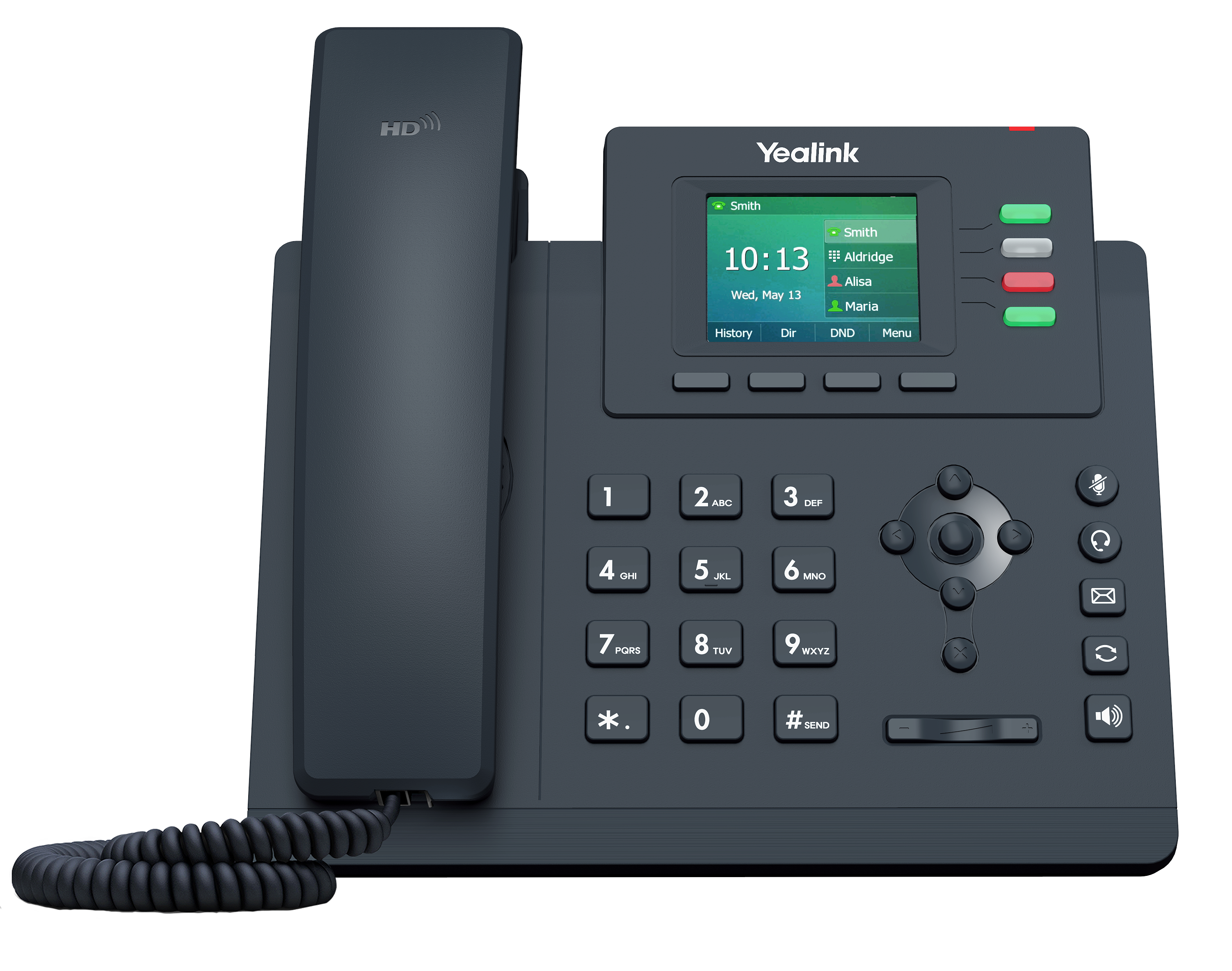
Handset means the telephone apparatus you have on your desk. With a "traditional" telephone this includes not just the part you pick up and hold to your ear but also the unit it sits on along with dialling and function buttons, display, etc. Handsets can be VOIP, PSTN, or System specific. VOIP handsets connect to the PBX over the local network and/or over the internet. PSTN handsets plug into traditional phone lines. System specific handsets connect via PBX systems. Wizards supplies Snom, Linksys and Cisco VOIP handsets, and offers Hosted Systems based on Linksys, Cisco, and Mitel handsets.
Hosted System
An increasingly popular way to implement a telephone system for an office or group of offices, is instead of buying one or more PBX systems and installing them in the office, to subscribe to a "hosted" service where the PBX system still exists but is owned and run by the service provider and runs on big computers in their hosting centre. The client just owns the phone handsets, which log in to the PBX over the internet. All the typical PBX functions are available but at a fraction of the cost. Wizards supplies two hosted solutions, FeaturePlus is suited to smaller companies or companies with lots of small offices. Communicator is suited to larger operations or multi-site operations with more than a few users at one or more sites.
ISDN
Integrated Services Digital Network. This refers to the first generation of "digital" telephone signalling technlogy after the original PSTN services. Initially introduced in the late 80s, the ISDN line it is still presented on a single copper pair between you and the exchange. Unlike PSTN however, ISDN doesn't carry a single circuit switched connection, it carries a number of "channels" of digital information. The channels are "multiplexed" on to the cable. That means that the cable spends some of its time carrying channel 1, then some time carrying channel 2, then channel 3... and so on back to channel 1 again. The equipment connected to the service breaks down the information to be carried, be it a voice call, fax, etc., or an internet connection, into packets, and then packets from each of the active services are sent or received in turn. An ISDN2 circuit has three channels, two data channels capable of carrying up to 64kbits of information each, and a "control" channel of 16k. The control channel is reserved for the exchange equipment to talk to your equipment and decide what calls to make, what sort of data is being carried, etc. The two data channels can be used separately or together (bonded) to make or receive two calls at once, or one 128k data connection. Simialrly an ISDN30 connection has 31 channels (30 64k data and one 64k control) (in europe - in USA primary rate ISDN is based on a 1k5 "T1" circuit instead of a european 2m "E1" circuit and has 23 data channels and one control.)
If used for voice an ISDN line is typically connected to a PBX as a trunk and is used for up to 2 or up to 30 concurrent voice calls. Typically an ISDN circuit is charged for as if it were 2 or 30 seprate lines. When used for voice, voice data is typically encoded (digitised) using the G.711 Codec.
The data channels are sometimes called "B channels" (B for Bearer - i.e. carrying useful payload - it's the B channels you pay for) and the control channels are called "D" channels (D for Data - though it's important to note that this means Data that your equipment and the exchange equipment use to create, monitor and clear down calls on the B channels - except in very speciallised cases, the D channel does NOT carry "customer data".)
ITSP
Internet Telephony Service Provider.
In the same way as an ISP provides you with internet connections via broadband, leased line, etc,. and other internet services such as hosting your email and web sites, an ITSP specialises in providing IP telephone services. ITSPs provide network infrastructure, either on their own or by colaberating with other ITSPs in other areas and countries, to carry IP calls over as much of the globe as possible, so as to minimise or remove any dependancy on PSTN. ITSPs also provide you with breakout gateways to PSTN so you can call "normal" phones from within the VOIP network, and with VOIP telephone numbers, so you can accept PSTN calls inwards. As with normal PSTN telephony providers, you generally pay a per-minute call for each call you make. But with ITSPs, there are no lines to rent (though some of them do make a standing charge for each available channel - a channel being the capacity for a single call) and you pay only for the actual call time, and usually at a very significantly reduced rate. Moreover, you don't pay ANY call charge for VOIP to VOIP calls.
Wizards provides SipTrunk and Hosted System VOIP services.
Packet Switched.
The underlying technology for VOIP is "packet switched", it's the same technology the internet already uses for web pages, emails, file transfers, etc. Each bundle of data to be transmitted, be it a web page or the next few seconds of your telephone call, is assembled into "packets" of a size which can be handled by internet routers. Typically about 1500 bytes. Each packet is given a number, then passed to the router to transmit. At the receiving end, the router notes the numbers of arriving packets, and uses them to make sure it has ALL the packets (or it requests a retransmssion of anything missing) and then it puts them in the right order and hands them over to the receiving application. In the case of a web page, the receiving application is your web browser which opens up the packtes and uses the data in them to display a page. In the case of a VOIP telephone call, the receiving application is a CoDec which turns the encoded data stream back into voice sounds and plays it via the earpiece of your VOIP handset, headset, or your PC's speaker. It is worth noting that the different packets forming a data stream do not necessarily have to go from source to destination via the same route. It's entirely possible they will not do so, which is one reason for the packet numbers. It's a bit like placing an order with Amazon - you get two DVDs in the post the next morning, then just as you're wondering why they didn't send you the big heavy book you ordered at the same time, the parcel delivery man rings the bell... you don't generally need to know the routes the packets that form your data took to get to you, you only need to know they have arrived, are all there, and can be placed in the correct order for you to do your job.The opposite of Packet Switched is Circuit Switched.
PSTN / POTS
PSTN stands for Public Switched Telephone Network. POTS stands for "Plain Old Telephone Service". In either event, these letters (PSTN formally, POTS more informally) refer to a single "ordinary" telephone line such as you may have at home. It can carry just one phone call at a time, and, optionally, may also carry your ADSL "Broadband" service. This technology has been largely unchanged since the telephone was first invented. The PSTN line is a pair of copper wires that run all the way from the back of your phone or fax machine via poles, down holes, and ends up being hard-wired to a port on the exchange equipment down at the BT telephone exchange building nearest to you. It is the basic building block of the Circuit Switched telephone network.
SIP Trunk.
A SIP Trunk is the "voip" equivalent of one or more traditional or ISDN digital phone lines plugged in to the back of your PBX. The "outside lines" you dial 9 to reach and, in the bad old days, had to dial 0 and ask the operator to connect you! A SIP Trunk connects your PBX to the ITSP's gateway server and allows you to make and receive calls from/to your PBX and its extensions via VOIP rather than over traditional PSTN/ISDN lines.
Wizards provides SIP Trunk services starting as low as 2 concurrent channels, and can provision such geographic or non-geographic telephone numbers as may be required.
Soft Phone
A Soft Phone is an IP phone whcih exists entirely as a program running on your PC. You can use it to initiate or answer calls, either with the PC's speakers, and a microphone, or with a headset plugged into your sound card, or with a USB "phone" or headset.Using a softphone means you can make or receive calls from a VOIP system without additional hardware, it is particularly attractive to roaming users with laptop computers. No sooner have you found a way to connect your laptop to the internet than the Softphone can log in to your PBX, and your calls, answerphone messages, etc., are all at your fingertips just as if you had your office phone extension with you.
A softphone should not be confused with a CTI program - though some software acts as both or either.
VOIP PBX / PABX
A PBX (Private Branch Exchange) or PABX (Private Automatic Branch Exchange) just like companies have used in their offices for decades. Only a VOIP PBX also supports some or more VOIP features.A "true" VOIP PBX is one which has been designed primarily to work in the VOIP world, though it generally still supports one or more types of "traditional" phone trunk (PSTN, ISDN) and may support PSTN extensions.
A "hybrid" VOIP PBX is a legacy PBX which has optional extra features plugged in via hardware or software to support some or more VOIP features.
If you are looking at a hybrid system as a way to avoid buying an entire new PBX system, it's important to invetigate WHICH VOIP features are being offered. Indeed, even if you are looking at a new PBX system, it may be that some of the systems you are being offered are not "true" VOIP solutions but hybrids, and you should confirm that the system supports all of the VOIP features and services you expect to use. ONE COMMON hybrid system allows the use of VOIP handsets to speak to the PBX, via the internal network, but does NOT offer any way of making or receiving VOIP calls from the outside world, at least, not without adding additional VOIP Gateway systems, which gateways can be added to any legacy PBX.
Wizards recommend the Epygi range of true VOIP PBX systems, available in a range of sizes from one-line up to ISDN-30, and supporting from 8 to 194 extensions.
VOIP phone / VOIP handset
Looks and works like a normal telephone but instead of being plugged in to a BT line or a dedicated extension line to the PBX, it is plugged in to your main office network.A VOIP phone can work either in conjunction with a VOIP PBX, or by being signed in to an account on a SIP Gateway. Or both.
NOT to be cofused with "USB phones". A USB phone plugs in to your PC and provides buttons, mike and speaker but does NOT have full IP-phone capability. It would require on SoftPhone software running on your PC to operate.